
一、總覽頁面簡介
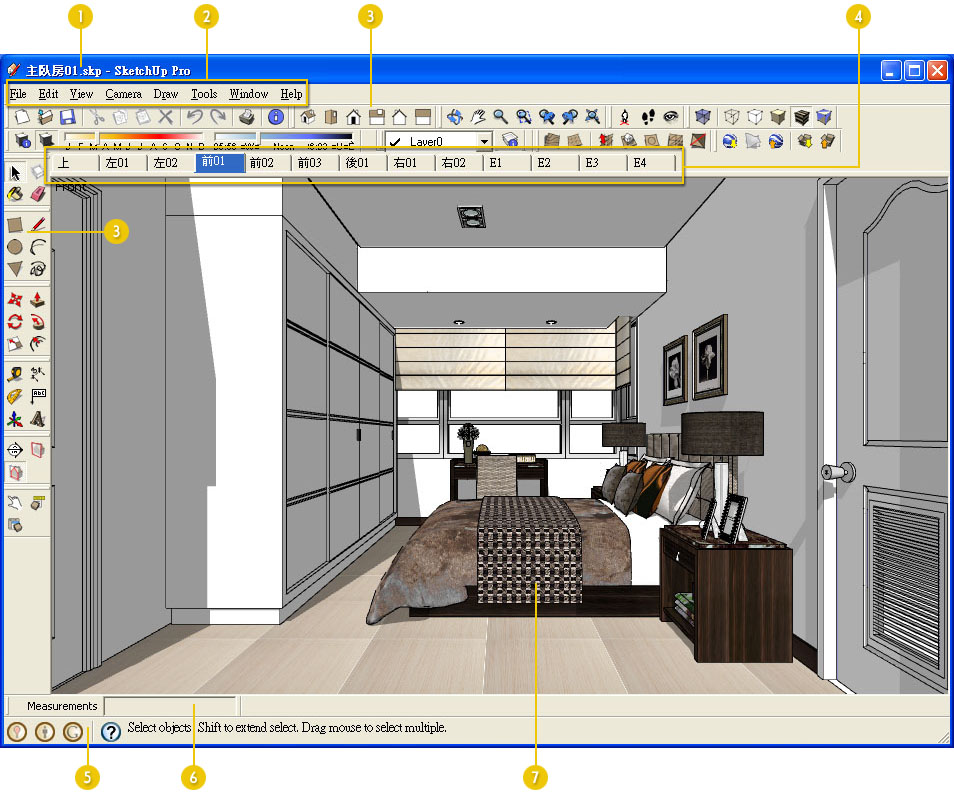
 | 顯示檔案名稱。SketchUp的副檔名是 .skp
 | 下拉功能表 ( Pulldown menu )
 | 工具列 ( Toolbar )
 | 視角標籤 ( Scenes )
 | 系統提示資訊區
 | 數值輸入區 ( 此輸入區也是一個工具列,可移動位置 )
 | 繪圖區域
可下載SketchUp 樣板檔 : http://sites.google.com/site/artdgn/sketchup/subasic/subasic01
最下面有一個附件 SU樣板檔01.rar
二、Camera Toolbar ( 相機工具列 )
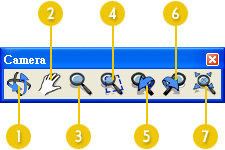
| Orbit 立體環轉
| Pan 平移
| Zoom 畫面縮放
| Zoom window 畫面窗選縮放
| Previous 回到上一個畫面
| Next 到下一個畫面
| Zoom extents 縮放物體實際範圍
三、Construction Toolbar ( 標示工具列 )
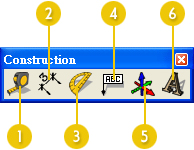
| Tap measure 測量尺寸
| Dimension 尺寸標註
| Protractor 分度器
| Text 文字
| Axes 自定座標軸
| 3D text 3D立體文字
四、Drawing Toolbar ( 繪圖工具列 )
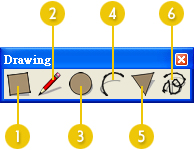
| Rectangle 矩形
| Line 線
| Circle 圓
| Arc 弧
| Polygon 多邊形
| Freehand 手繪曲線
五、Dynamic components Toolbar ( 動態元件工具列 )
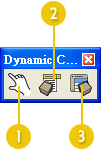
| Interact with Dynamic components 與動態元件互動
| Component Options 元件選項
| Component Attributes 元件屬性
六、Edit Toolbar ( 編輯工具列 )
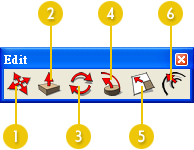
| Move 移動
| Push/pull 擠出 ( 推拉 )
| Rotate 旋轉
| Follow me 路徑跟隨擠出
| Scale 比例
| Offset 偏移複製
七、Face style Toolbar ( 顯示模式工具列 )
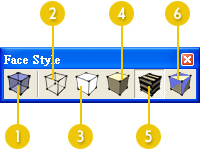
| X-ray 半透明模式
| Wireframe 線架構模式
| Hidden line 隱藏線模式
| Shaded 色彩模式
| Shaded with textures 材質模式
| Monochrome 單色調模式
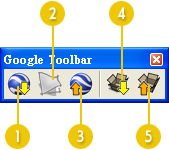
八、Google Toolbar ( Google工具列 )
九、Layers Toolbar ( 圖層工具列 )
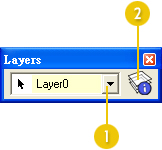
| Set current layer 設定目前工作圖層
| Layer manager 圖層管理員
十、Principal Toolbar ( 首要工具列 )
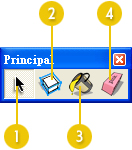
| Select 選取物件
| Make component 建立為元件
| Paint bucket 油漆桶 ( 材質編輯器 )
| Eraser 橡皮擦
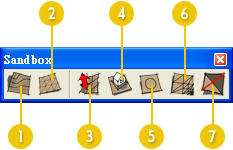
十一、Sandbox Toolbar ( 地形工具列 )
十二、Sections Toolbar ( 剖面工具列 )
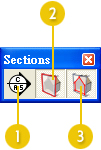
| Section plane 剖面工具
| Display section planes 顯示剖面物件
| Display section cuts 顯示剖面結果
十三、Shadows Toolbar ( 陰影工具列 )
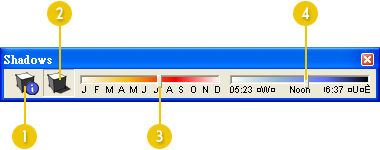
| Shadow settings 陰影設定
| Display shadows 顯示陰影
| Date 設定日期
| Time 設定時間
十四、Standard Toolbar ( 標準工具列 )
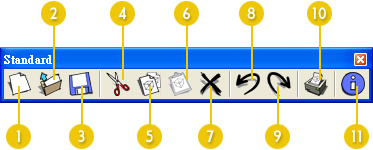
| New 開啟新檔案
| Open 開啟舊檔
| Save 儲存檔案
| Cut 剪下
| Copy 複製到剪貼簿
| Paste 從剪貼簿貼到目前圖檔
| Erase 刪除
 | Undo 返回前一歨驟
 | Redo 向後一個歨驟
 | Print 列印
 | Model info. 場景資訊設定
十五、Views Toolbar ( 視景工具列 )
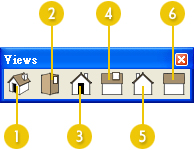
| Iso 透視圖
| Top 上視圖
| Front 前視圖
| Riget 右視圖
| Back 後視圖
| Left 左視圖
十六、Walk Toolbar ( 走覽工具列 )
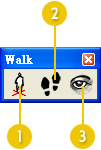
| Position camera 放置攝影機
| Walk 行走瀏覽
| Look around 定點察看

請先 登入 以發表留言。